




Running an AI breaking news video generator inside a small regional newsroom makes sense only when it speeds up formatting, never when it shortcuts verification. At 6:40 a.m., when monsoon runoff closes a provincial highway junction or a municipal water main fails before morning traffic builds, a two-person digital desk faces an immediate bind: readers on phones expect a visual update right away, yet nobody on shift can spend an hour keyframing lower-thirds in a desktop edit suite.
That operational squeeze has become standard across community journalism. According to the Reuters Institute 2025 Digital News Report, traditional news outlets face declining direct web engagement as audiences shift rapidly toward social feeds and video platforms.
Small regional desks that publish only static text bulletins miss commuters who check Facebook Reels, YouTube Shorts, or messaging channels before opening a browser. Packaging confirmed civic advisories into clean 16:9 and 9:16 video clips lets lean newsrooms meet mobile readers without pulling reporters off phone interviews.
When should local desks use an AI breaking news video generator?
Local readers behave differently during fast-moving civic disruptions than they do when browsing weekend features. A three-paragraph highway detour notice buried inside a desktop article forces drivers and parents to hunt for road numbers, start times, and alternative routes on a small screen. A 45-second visual advisory puts the affected intersection, detour hours, and issuing authority on screen within five seconds.
Hold off before hitting generate, however. Not every developing story belongs in an automated video pipeline, and mixing verified public notices with raw rumors damages local credibility fast:
- Hold off on automated clips for unconfirmed police dispatches, conflicting eyewitness claims, or active casualty figures until an editor confirms facts directly with official agencies.
- Keep raw smartphone footage from on-scene reporters unedited inside standard video tools whenever visual authenticity itself proves the story, rather than wrapping field clips in studio templates.
- Limit rapid video packaging strictly to verified service advisories: severe weather warnings, road closures, utility outage maps, school schedule shifts, and municipal health notices.
Drawing that editorial boundary upfront prevents speed from turning a trusted regional masthead into an unverified rumor feed.
Preparing verified copy before opening the generator
Good breaking bulletins fail in rendering mostly because editors paste acronym-heavy press releases straight into a video tool. Government advisories often bury the actual street closure behind agency titles and boilerplate greetings. Before opening any software, a duty editor should condense the confirmed facts under 120 words.
Put four verified elements into that pre-render note:
- Lead with the exact location, affected corridor, and effective clock window so viewers grasp impact immediately.
- Spell out local district names, highway designations, and agency abbreviations clearly so automated narration does not stumble over regional place names.
- Include a timestamp and named official source line for the lower-third graphic, such as the provincial meteorological office or municipal transit bureau.
- Cut speculative commentary completely; stick to confirmed advisories, active detours, and official shelter or hotline numbers.
Finish that plain-text rewrite before opening any video tool.
Building verified local bulletins step by step
Once an editor signs off on the written brief or published web dispatch, passing that cleared text into an AI breaking news video generator lets a producer ship matching widescreen and mobile clips in minutes.
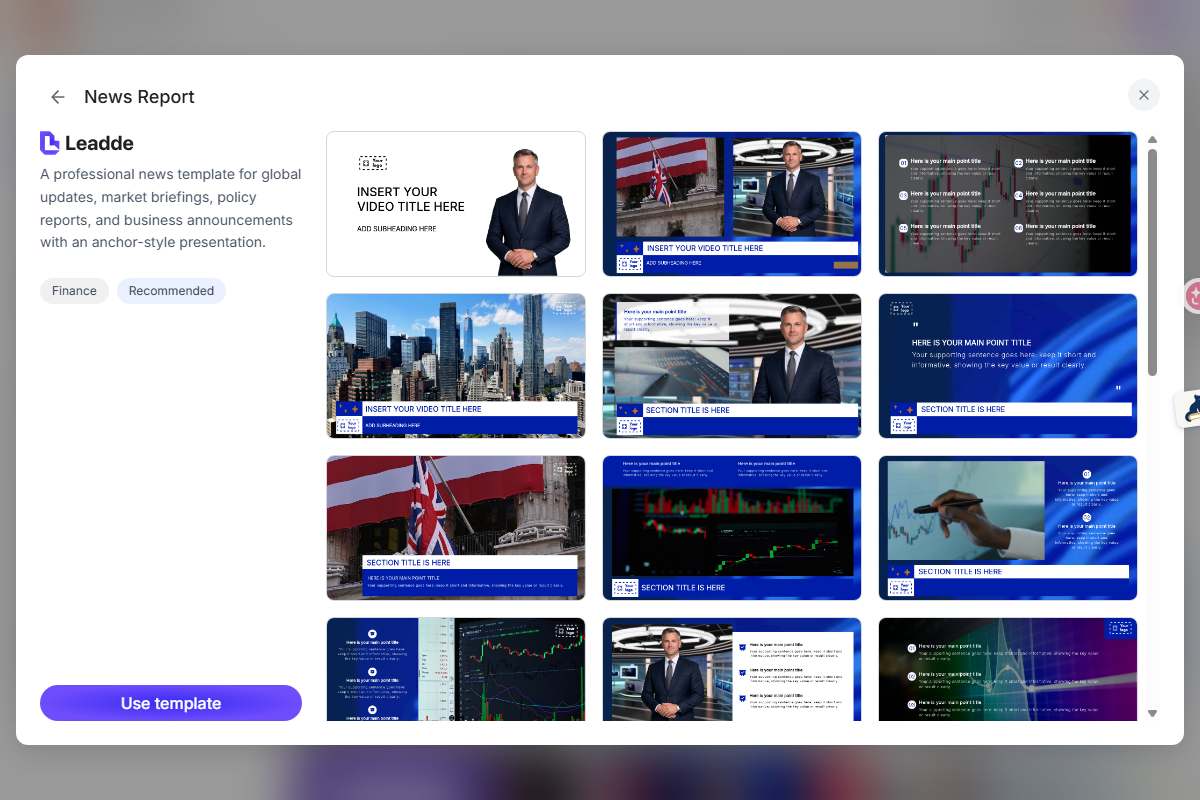
Selecting a News Report anchor layout and lower-third frame structure inside the Leadde workspace.
Follow these six newsroom steps so automated formatting stays under strict editorial control:
- Paste the approved script, attach a cleared .pdf or .docx municipal notice, or drop in your published article URL inside Video Agent, picking a 30-second or 60-second duration matched to urgency.
- Pick visual mode deliberately: choose No avatar typographic motion cards via Video Agent for urgent flood, storm, or transit alerts so readers never mistake a synthetic presenter for a live reporter, or reserve Template Video newsroom layouts with a clearly labeled AI anchor set to Objective or Analytical tone strictly for scheduled daily roundups.
- Run Pronunciation checks on town names, river basins, and agency codes, placing short Pause markers after times and road numbers across your target languages (the platform supports 88 languages and 175 dialects on paid tiers for bilingual coverage).
- Adjust audio levels in chat: mute or remove decorative background music (Video Agent scales audio tracks independently from 0 to 4x) so spoken safety warnings stay audible on phone speakers in noisy transit stations.
- Export 16:9 widescreen clips for web embeds and 9:16 vertical cuts for social feeds, keeping burned-in attribution lines above bottom gesture bars.
- Preview the finished export in desktop Chrome before publishing, using restore earlier versions inside Video Agent if a quick chat revision altered a time window or qualifier.
Text-to-video generation stops being the right tool the moment field footage arrives mid-shift. Video Agent does not accept .mp4 or .mov camera files as its starting prompt input. Whenever a reporter texts back a verified 15-second clip from a flooded intersection or utility crew site, switch over to Leadde Studio Editor, drop the field clip into My Media, and sequence it beside clean text cards through Video Fit rather than relying on text-only generation.
Editorial sign-off checks before posting to social feeds
Fast-turnaround local video carries higher reputational stakes than routine lifestyle blogs. If a road reopens two hours early or a storm warning expires, stale vertical clips keep circulating inside algorithmic feeds long after the web headline updates.

Reviewing source attribution text, pronunciation rules, and mobile caption contrast before posting.
Run four final desk checks before pushing any generated bulletin live:
- Confirm that the video opening frame states the local date, hour, and time zone visibly in on-screen text so viewers do not reshare yesterday’s road alert as live news.
- Test muted playback on a smartphone screen to verify that high-contrast captions carry the full detour route and emergency contact link without needing sound.
- Verify that every on-screen number, kilometer marker, and agency name matches the live written article verbatim, keeping .srt or .vtt subtitle files (available on Starter and Creator plans) archived alongside the web post.
- Label duplicated project drafts in My Videos with the alert timestamp and status so weekend shift editors can duplicate, update, and republish a corrected cut quickly instead of editing live links blindly.
Desk questions on automated newsroom video
Should local newsrooms put synthetic AI anchors on breaking emergency updates?
Avoid synthetic presenters during active emergencies or disaster alerts. Typographic motion cards paired with clear voiceover and explicit source banners communicate facts cleanly without risking viewer confusion over whether an actual journalist is reporting on location.
How can small regional desks publish bilingual civic advisories without doubling staff?
Lock the verified facts in English or the primary local language first, then run a parallel render in the secondary regional language while reviewing town names and road numbers manually. Keeping the core 80-to-120-word brief identical across both cuts keeps timing consistent.
What happens if a municipal transit agency revises detour times ten minutes after export?
Open your saved project, adjust only the affected scene narration or headline text via chat, and re-export the updated MP4. If you distribute a hosted viewing link on your live blog, viewers see the updated version without broken embeds, though social platform uploads still require replacing or pinning a correction on the post.
Fast newsroom formatting only helps if readers can trust what is on screen. Verify the road numbers and official source before opening any generator, then put the local timestamp in the opening frame so yesterday’s advisory cannot recirculate as live news.