



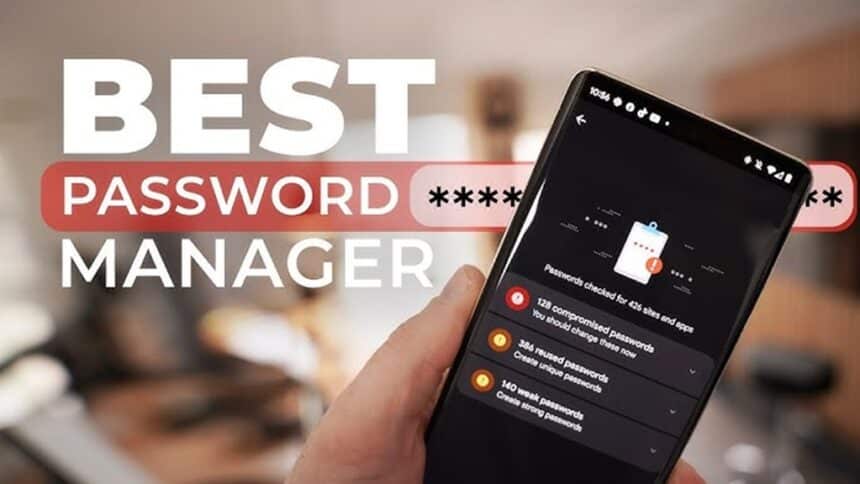
Passwords still stand between a stranger and a bank account, inbox, or social media profile. In 2025, data breaches, AI-powered guessing attacks, and endless phishing emails make weak passwords an easy target.
Most people still reuse the same few passwords across dozens of apps. That habit turns one leaked password into a full identity crisis. The best password manager removes most of that risk by creating, storing, and filling strong passwords automatically.
A password manager is a secure vault. It locks every login behind one master password or passkey, then keeps everything encrypted in the background. This guide gives an expert, unbiased look at the top five tools of 2025, in plain language, for everyday users who just want to stay safe without feeling like security engineers.
How to Choose the Best Password Manager
Before picking a favorite app, it helps to know what really matters. Good marketing is easy to write. Strong security and stress-free daily use are not. These are the key checks that separate safe choices from risky ones.
Security Features That Actually Keep Accounts Safe
Every top password manager uses encryption, but the details matter. Look for a zero-knowledge design. That means the company cannot see vault contents, even if staff try. Only the user holds the keys through their master password or passkey.
Strong tools rely on modern standards like AES‑256 encryption and secure key derivation functions that slow down brute-force attacks. Many services publish details of their cryptography so experts can review them.
In daily life, features like built-in password generators and data breach alerts do the heavy lifting. The generator creates long, random passwords that no human could remember, then saves them. Breach alerts warn when a saved login appears in a known leak, so the user can change it before someone abuses it.
Multi-factor authentication (MFA) is another must. Turning on MFA for both the password manager and important accounts like email or banking adds a strong extra layer, such as a one-time code or hardware key.
Ease of Use, Apps, and Device Compatibility
Even the safest tool fails if people hate using it. A good password manager feels almost invisible after the first setup.
Key points to check:
- Apps for iOS, Android, Windows, and macOS
- Browser extensions for Chrome, Edge, Safari, and Firefox
- Auto-fill and auto-save for logins and forms
Strong tools make it easy to import passwords from browsers or other managers. That way, switching takes minutes, not days.
If a tool is clumsy on phones, has confusing settings, or fails to auto-fill often, people stop using it and fall back to old habits. The best password manager in 2025 is the one that feels natural during a busy day, not just impressive on a feature list.
Pricing, Free Plans, and Family Options
Most password managers follow a similar structure: a basic free tier, a single-user premium plan, family plans, and business plans.
Free plans often cover one device type or limit sharing. Paid plans usually add:
- Cross-device sync
- Secure password sharing
- Advanced security reports
- Priority support
A fair price in 2025 for personal use usually lands in the range of a few dollars per month when billed yearly. Family plans often support 5 or 6 users for only a little more, which can be much cheaper than separate accounts.
For a sense of how experts rank pricing and value, readers can compare this guide with independent roundups like PCMag’s best password managers for 2025.
Most households only need one good family or personal plan. Business and enterprise tiers mainly help with central admin, compliance, and larger teams.
Privacy, Company Trust, and Data Transparency
Features alone do not make a tool trustworthy. A strong password manager also needs a clean security history and honest communication.
Users should look for:
- A clear, readable privacy policy
- Public details on where data is stored and which regions are used
- Independent security audits with published summaries
- A track record of quick, open responses to past incidents
When a company faces a breach or bug, the response says a lot. Good vendors share what happened, what data was affected, and what they changed to prevent repeat issues.
Independent reviews, like those from PasswordManager.com’s best password managers report, can help cross-check marketing claims against real-world testing and disclosure.
Top 5 Best Password Managers of 2025 (Expert Review)
Several tools stand out in 2025 for a mix of security, ease of use, price, and extra features. Here is how the top five compare in real daily use.
1Password: Best Password Manager for Families and Teams
1Password has built a strong reputation for both home and work use. It uses a robust security model that mixes a master password with a secret key, which adds another wall for attackers.
Its Watchtower feature scans vaults for weak or reused passwords and known breaches. Travel Mode lets users hide chosen vaults when crossing borders, which is helpful for people who carry sensitive work data. Shared vaults make it easy to split logins between personal, family, and team spaces.
Apps are polished on all major systems, and even non-technical family members usually get comfortable quickly. 1Password also supports passkeys, so users can start moving away from passwords where sites allow it.
Main downsides: there is no long-term free plan, only a trial, and pricing sits higher than some rivals. Verdict: best fit for families and teams that want strong sharing tools and a friendly design.
LastPass: Feature-Rich Password Manager With a Strong Free Plan
LastPass has been around for years and still offers one of the strongest free tiers, including sync across devices for single users. Its paid plans add richer sharing, more security dashboards, and priority support.
The feature list is long: password generator, secure notes, form filling, and dark web monitoring on higher tiers. Most users will find apps and browser extensions simple enough for daily use.
However, LastPass has faced several security incidents over the past few years, including breaches that targeted backup data. The company has detailed what happened and improved its architecture, but some security professionals remain cautious.
For users who value a full-featured free plan and do not want to pay yet, LastPass can still be useful. Those who feel uneasy about its history may prefer another option from this list, especially for high-value accounts.
Dashlane: Best Password Manager for Simple Security and Extra Tools
Dashlane focuses on a clean, modern interface that feels simple even with advanced features under the hood. Its web-based app and browser extensions are easy to understand at a glance.
Standout strengths include password health scores, dark web monitoring, and, on some plans, a built-in VPN. That VPN can protect traffic on public Wi‑Fi, which is handy for travelers and remote workers. Dashlane also has strong auto-fill behavior and clear guidance during setup.
Pricing is often higher than bare-bones competitors, especially if a user wants both VPN and security extras. People who only want basic password storage may find cheaper options.
Verdict: best for users who like an all-in-one security bundle and care as much about extra tools as about the core vault.
Bitwarden: Best Open Source Password Manager on a Budget
Bitwarden stands out as a budget-friendly and open-source password manager with strong support from security experts and everyday users. Its core code is public, so independent researchers can review it and flag issues.
The free plan is one of the strongest on the market. It supports unlimited passwords on multiple devices and offers basic sharing. Paid plans add advanced 2FA options, more sharing features, and extra storage, at prices that usually undercut most competitors.
Power users can even self-host Bitwarden, running the server on their own hardware or cloud account. That appeals to privacy fans who want maximum control.
The main drawback is that Bitwarden’s interface feels more basic and sometimes less polished than glossy rivals. The setup has a few more switches, which can be slightly intimidating at first. Verdict: best for cost-conscious users and privacy-focused people who appreciate transparency.
NordPass: Best Password Manager for NordVPN Users and Travelers
NordPass comes from the same team behind NordVPN, a well-known VPN provider. That gives it instant recognition among people who already use other Nord products.
The design is clean and modern, with a focus on simple onboarding. It supports passkeys, password sharing, password health checks, and secure item storage for notes and payment cards. Cloud sync works across phones, tablets, and desktops.
NordPass pairs nicely with NordVPN subscriptions, especially for frequent travelers who want both secure browsing and strong login protection under one brand. Family and business plans exist for shared use.
On the downside, NordPass still trails some older rivals in niche or power features, such as deep enterprise controls and long-standing third-party integrations. Verdict: a strong choice for NordVPN users and travelers who like a unified security stack.
For another expert view on how these tools stack up, readers can compare this list with ZDNET’s expert-tested best password manager apps.
Head-to-Head Comparison: Which Password Manager Is Best for You?
Each of the five tools above can do the job. The best choice depends less on a small feature and more on who will use it and how.
Best Password Manager for Beginners and Non-Tech Users
For people who feel nervous about security tools, clear design matters more than advanced settings. In this group, 1Password and Dashlane stand out.
Both guide new users through setup with simple prompts. They offer obvious buttons for adding items, clear warning icons for weak passwords, and strong auto-fill that just works. Users do not need to tune complex options.
LastPass can also be beginner-friendly, but some users may feel uneasy about its past incidents. Bitwarden and NordPass are still accessible, though Bitwarden’s slightly plainer interface may feel more technical.
Best Password Manager for Families and Shared Households
Families need simple sharing, not more stress. 1Password shines here with shared vaults that can hold school logins, streaming services, and household bills. Parents can keep some vaults private, and others open to kids or partners.
Dashlane and NordPass also offer family plans that bundle several users into one subscription. Shared item controls and easy invite links make it simple to help less technical relatives join in.
Bitwarden’s family and organization options are very capable, especially for the price. They may need a bit more setup, so they fit best when at least one person in the house feels comfortable tweaking settings.
Best Password Manager for Privacy Fans and Power Users
Privacy-focused users often want deep control and open designs. Bitwarden leads this group. Its open source code, self-host option, and advanced settings as command line tools appeal to people who like to manage every detail.
1Password also scores well with its security design, secret key system, and strong audit history. Many security professionals use it daily, which speaks to its technical depth.
NordPass is building trust with audits and a strong brand from the VPN side, while Dashlane leans more into simple design and convenience than raw power.
How to Safely Switch to a Password Manager in Under One Hour
Switching tools can feel scary, but moving to a password manager can be done in a single sitting. The key is to start small and build confidence.
Step-by-Step Setup: From Master Password to First Logins
First, pick a strong master password or passphrase. A good approach is a long phrase that no one could guess, mixed with numbers or symbols. It must be unique. Never reuse the master password on any other site.
Next steps:
- Create an account with the chosen password manager.
- Turn on multi-factor authentication for the manager itself.
- Install the apps on phone and computer, then add browser extensions.
- Import passwords from the browser or an old manager if available.
If there is no export file, just start by adding 10 to 20 of the most important logins: email, bank, social media, and cloud storage. Let the manager save and auto-fill those first. That small success builds trust quickly.
Smart Habits to Keep Accounts Safe for the Long Term
Once the basics are in place, a few habits keep accounts safer year after year.
- Let the manager create new passwords for every signup or password change.
- Run regular password health checks and fix weak or reused passwords.
- Pay attention to breach alerts and change exposed logins right away.
- Share passwords through the manager’s secure sharing feature, not by email or text.
A helpful approach is to update a few old passwords each week. Over a month or two, most risky accounts will be protected. The habit soon feels as normal as checking messages.
Conclusion
Reusing a couple of simple passwords across dozens of sites might feel easy, but it leaves money, messages, and identity exposed. In 2025, using any trusted modern tool from this list is far safer than juggling weak logins alone.
1Password and Dashlane stand out for beginners and busy families. Bitwarden is ideal for privacy fans and budget-conscious users who want open source control. NordPass fits people already tied into the Nord security ecosystem, while LastPass still appeals to those who value a rich free plan.
The best step is to pick the best password manager that fits today, set up a strong master password, and secure the few most important accounts first. That single hour of work can bring lasting peace of mind and a stronger sense of control every time a login box appears.