
Copyleaks keeps coming up whenever people talk about plagiarism and AI detection, so I decided to test it properly instead of just reading the marketing page. In this Copyleaks review, I will explain what Copyleaks actually does, how accurate it feels in real-world use, how much it costs, and where it works best (and where it does not).
I ran my own essays, blog posts, and some AI‑written text through the Copyleaks checker to see how it handled plagiarism detection, AI content, and text similarity. If you are a student, teacher, or content creator and you want a clear, honest look at Copyleaks before you sign up, this guide is for you.
Overall, I found Copyleaks very strong at AI detection and solid at plagiarism detection, but not perfect in every case. It works fast, the reports are clear, and the false positives in my tests were rare.
Independent tests in 2025 ranked Copyleaks as one of the most accurate AI detection and plagiarism tools, with a very low false-positive rate of around 0.2 percent in some benchmarks, as reported in reviews like the Hastewire Copyleaks accuracy review. I still treat it as a guide, not a judge, and I think teachers and editors should do the same. The rest of this review breaks down accuracy, pricing, features, and best use cases for students, teachers, and content creators.
Copyleaks Review: Who Should Actually Use It and Who Should Skip It
In this copyleaks review, it is important to be honest about who really benefits from Copyleaks and who probably does not need it yet. Not every student, teacher, or blogger needs a full AI detector and plagiarism checker in their daily work.
Copyleaks makes the most sense if you:
- Submit or grade essays and research papers often
- Publish content online for clients, brands, or your own site
- Worry about both plagiarism detection and AI-generated content, not just one of them
- Need clear reports you can show to students, parents, clients, or managers
If you only publish a brief blog post twice annually, Copyleaks might seem excessive. A simple grammar checker or a free plagiarism tool could suffice. However, if you’re a dedicated student, an educator prioritizing academic integrity, or a content creator monetizing your writing, investing in a comprehensive report on text similarity, originality, and AI risk is justified.
This section introduces the rest of the article. Now, as readers explore features, accuracy, pricing, and comparisons, they already understand if Copyleaks is suitable for them.
What Is Copyleaks and Who Is It Really For?
Copyleaks is an originality checker and AI detection tool. It checks if text is copied, heavily rewritten, or likely written by AI.
Its main jobs are:
- Plagiarism detection across the web and academic sources
- AI content detection for text written by tools like ChatGPT and other models
- Text similarity reports that show how close one document is to another
In simple terms, you paste or upload text, Copyleaks scans it, and then gives you a report with similarity percentages and AI scores.
The people who get the most value are:
- Students who want to avoid accidental plagiarism in essays
- Teachers who care about academic integrity and essay verification
- Bloggers and freelance writers who must send clean, original work
- Agencies and SEO teams that publish many articles each month
- Developers and schools that need APIs or code plagiarism checks
This Copyleaks review is based on real use, not just the sales page. I ran essays, homework‑style pieces, AI‑only drafts, and mixed human plus AI content through the Copyleaks Checker.
Quick Overview: What Copyleaks Actually Does
Copyleaks scans your text against billions of online sources, academic content, and its internal data. It looks for:
- Direct copying
- Heavily paraphrased passages
- AI‑generated text patterns
When a scan finishes, you see:
- A similarity percentage for plagiarism
- Highlighted matches with links to sources
- An AI probability score for human vs AI content
Copyleaks also includes Codeleaks for source code comparison and supports many languages, which helps in global classrooms and international content teams.
Who Gets the Most Value From Copyleaks
Some quick real‑world examples help here.
- Students upload an essay before submission, check the similarity score, and fix any copied or poorly cited lines.
- Teachers and schools run batches of assignments through Copyleaks inside their learning management systems to protect academic integrity.
- Bloggers and freelance writers scan a draft before publishing or sending it to a client to avoid duplicate content problems.
- Agencies and SEO teams publish multiple articles each day to maintain high content originality and avoid reusing the same text across sites.
- Developers or tech teams use the API or Codeleaks to compare programming assignments or check for copied code in projects.
In short, Copyleaks fits best when plagiarism detection, text similarity, and AI detection all matter simultaneously.
How Copyleaks Works: Plagiarism Detection and AI Detection Explained
Using Copyleaks is comparable to other writing tools: you log in, open the Copyleaks Checker, upload or paste your document, and then click scan.
Behind the scenes, the tool scans your text against:
- Public web pages
- Academic and educational content
- It’s a shared data hub and internal datasets
There are two main sides to the scan: plagiarism detection and AI detection. You can run them together in one report.
Using the Copyleaks Checker for Plagiarism and Text Similarity
Here is what a typical plagiarism check looks like:
- Paste or upload your essay, article, or report.
- Click the scan button.
- Wait a short time, usually under a minute, for normal‑length work.
- View the report.
The report shows:
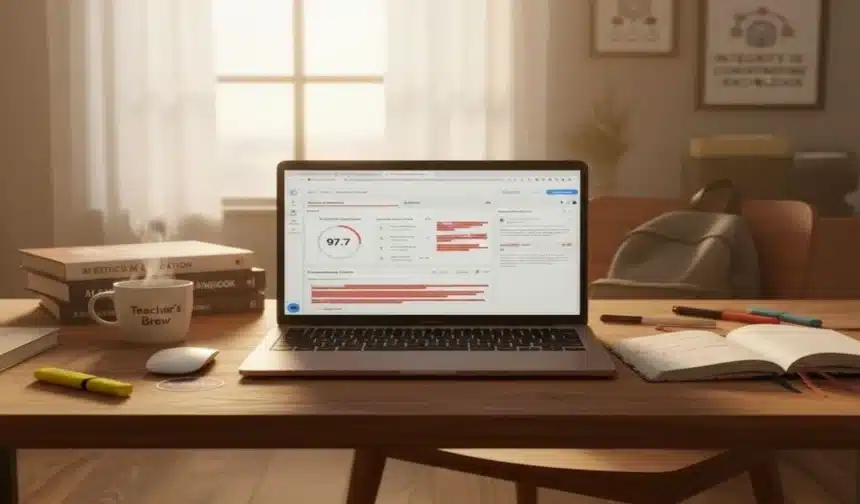
- A similarity percentage at the top
- Color‑coded highlights in the text
- A side panel with each matched source and link
If a student copied lines from a blog post, Copyleaks highlights those lines in one colour and shows the exact blog URL on the side. If part of a client article reuses a press release, it shows that as well.
Copyleaks detects:
- Direct copy‑paste
- Lightly edited or reordered sentences
- Some tricks, like hidden characters or simple synonym swaps
This helps with essay verification, intellectual property protection, and basic digital content analysis before you publish.
How the AI Content Detector Spots AI-Generated Text
The Copyleaks AI detector identifies patterns typical of AI-generated text from tools like ChatGPT and other large models by analyzing predictability, structure, and token sequences.
The AI detection report shows:
- An overall AI percentage and a human percentage
- Sentence‑level highlights in different colours
- An “AI Logic” section that explains why parts look AI written
It works in many languages, which is helpful for international students and global content teams. In my tests, it helped teachers and editors get a quick signal when a piece of homework or an article looked more like AI-generated text than human-written text.
No AI detector is perfect, but independent reviews such as the Skywork Copyleaks AI checker test and WalterWrites Copyleaks review place Copyleaks among the most accurate options in 2025.
Is Copyleaks Trusted and How Accurate Is It Really?
The big question is trust. Based on both third‑party tests and my own use, Copyleaks is one of the more reliable tools in this space.
Independent benchmarks in 2025 report very high AI detection accuracy and a Copyleaks false positive rate of around 0.2 per cent on clearly human text. That is much lower than some rivals. My own experience lined up with this: I rarely saw a clean human essay marked as AI.
On plagiarism, Copyleaks caught every direct copy I tested and most light rewrites. It did miss a few very obscure sources and some deep paraphrasing, which is normal for any plagiarism checker.
Still, I treat Copyleaks as a strong guide. A human should always review the report before deciding academic integrity or client work.
Plagiarism Accuracy: How Well It Detects Copying and Rewrites
For plagiarism, I tried three main test types:
- Full copy and paste of public web articles
- Lightly edited or paraphrased versions of those articles
- Passages pulled from smaller blogs and less common sources
Copyleaks correctly identified the direct copies every time. It highlighted entire paragraphs and provided a list of sources, often with exact URLs.
For lightly paraphrased content, it generally captured most of the overlap, although the similarity percentage sometimes appeared lower than expected. It performed well with obscure sources when the content was accessible online, but it obviously couldn’t access private documents or closed databases.
The large database and strong multi‑language support give it an edge over many free plagiarism checkers for students, especially for essays and homework that mix sources.
AI Detection Accuracy and Copyleaks False Positive Rate
On the AI side, Copyleaks claims over 99 per cent accuracy with a very low false positive rate. Third‑party reviews, like the Tenorshare Copyleaks AI content detector review, echo that picture.
I tested:
- Pure AI text from ChatGPT
- Pure human essays and blog posts
- Mixed documents where I edited AI drafts heavily
Copyleaks correctly identified AI in long, unedited AI essays almost every time. It also handled human-written content well. I saw almost no Copyleaks AI detector false positives on clearly human pieces.
The hardest cases were hybrid documents. When I rewrote AI text by hand, the AI probability dropped, sometimes into a grey area. That is expected and common for all AI detection tools.
My advice: never punish a student or writer based only on a single AI percentage. Use Copyleaks as one signal, not a final verdict.
Copyleaks Features You Actually Use Day to Day
Copyleaks has many menu items, but only a few matter in daily work.
You will mostly use:
- The main Copyleaks Checker dashboard
- Plagiarism and text similarity reports
- AI detection reports and AI Logic
- Codeleaks for source code checks
- Integrations with learning management systems and Google Docs
Dashboard and Copyleaks Checker: What It’s Like to Run a Scan
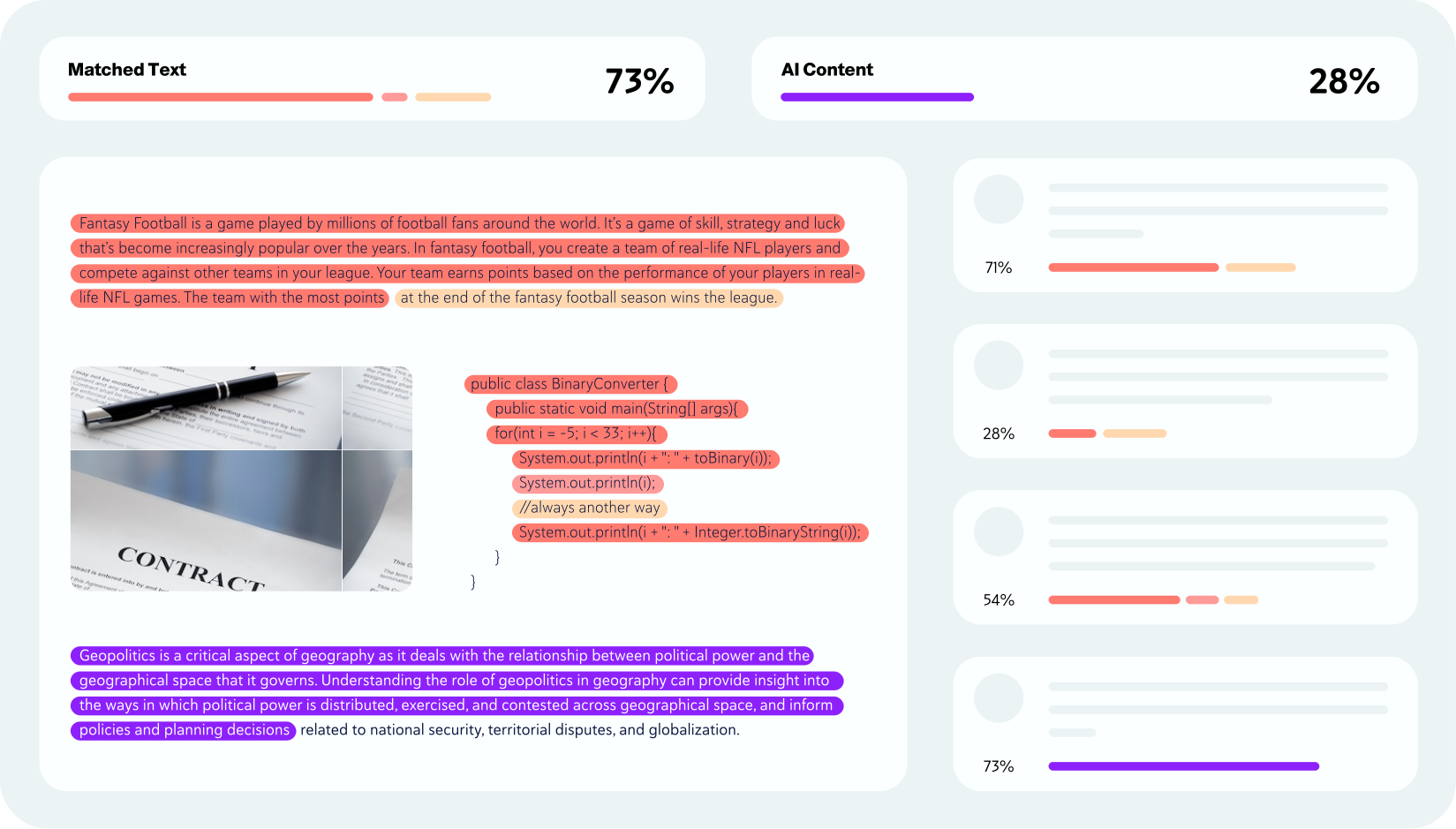
The dashboard is simple. On the main screen, you see an area to paste text or upload files, plus options to choose plagiarism, AI detection, or both.
After you start a scan:
- A progress bar appears
- Most short essays finish in under a minute
- Results open in a split view with text on the left and sources on the right
Colors and percentages are clear. A new student or blogger can read the report without training.
Plagiarism Reports, Text Similarity, and Duplicate Content Filters
Plagiarism reports focus on similarity scores and content originality.
You see:
- One overall similarity percentage
- A list of sources ranked by match strength
- Highlighted sections in your document that match each source
This tool assists agencies and SEO teams in filtering duplicate content. For instance, a guest post that reuses much of another article will be clearly highlighted well before it is published.
The combination of text similarity, digital content analysis, and direct links to matched URLs makes it more useful than many basic plagiarism checkers.
AI Detection Reports and AI Source Match
The AI report has its own layout. You get:
- An overall AI probability gauge
- Sentence‑level colouring that marks suspected AI text
- An AI Logic panel that explains key signals
Copyleaks also offers AI Source Match, which tries to link suspicious passages to AI‑generated text found online when possible. This can help teachers or editors spot sections that look like generic AI responses rather than the student’s own thinking.
I still recommend using this as a flag, not a final decision. It tells you where to look and what to ask about.
Codeleaks and Multi Language Detection for Global Classrooms
Codeleaks focuses on programming classes and dev teams. It checks if two pieces of code are suspiciously similar, even when variable names change.
Think of two students who submit nearly the same Python assignment. Codeleaks highlights those overlaps and gives a similarity score.
Multi‑language support is also strong. Copyleaks can detect plagiarism and AI content in many languages, which is useful in global classrooms and for multilingual content teams.
Integrations and Workflow: LMS, Google Docs, and APIs
Copyleaks integrates with popular learning management systems like Canvas, Moodle, and Blackboard. Teachers can run checks within their normal grading flow, saving time and clicks.
Additionally, there are handy add‑ons and browser workflows that make it simple to scan documents directly from Google Docs or your cloud storage. For developers, Copyleaks provides APIs that allow them to easily incorporate plagiarism and AI detection features into their own educational tools or content platforms.
Copyleaks Pricing: Plans, Free Options, and Who Should Pay
Pricing changes, so always check the official Copyleaks pricing page for current numbers. As of late 2025, Copyleaks offers personal and business plans, as well as education and enterprise options.
Public data shows plans structured around:
- Individual AI detector
- Individual plagiarism checker
- Combined AI plus plagiarism detection
- Enterprise or LMS integrations
Sites like the TrustRadius Copyleaks pricing overview list monthly prices in the roughly $9.99 to $16.99 range for individual cloud plans, with higher tiers for teams and schools.
For heavy users, the value is good. For a very light user, it can feel a bit expensive compared with free tools.
Is Copyleaks Free and What Do You Get Without Paying?
Copyleaks is not entirely free, but it usually offers a free trial or limited free scans. This is enough for:
- A student who needs to check a few essays during a semester
- A blogger who wants to test one or two posts before deciding
If you only check one document every few months, the free options might cover you. If you scan weekly or run many assignments, you will likely hit limits and need a paid plan.
Which Copyleaks Plan Fits Students, Teachers, and Content Teams
In simple terms:
- Students and solo writers should look at low‑volume or personal plans. Focus on total pages per month, not flashy features.
- Teachers and small schools need education plans or LMS integrations. Key factors are the number of users, shared dashboards, and access controls.
- Agencies, companies, and large teams should use higher‑volume or enterprise plans with API access and admin tools.
Copyleaks feels cost‑effective when originality and academic integrity are part of your core work. For casual checks, a free or cheaper tool might be enough.
Copyleaks AI Detector: Strengths, Weaknesses, and False Positives
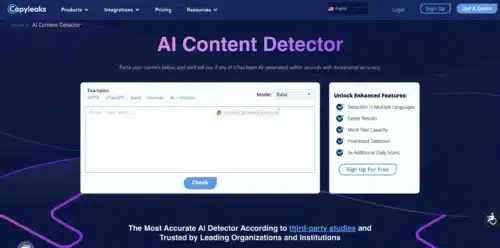
The AI detector is where Copyleaks really stands out.
In my tests, it handled long AI‑written essays, AI blog posts, and AI‑assisted drafts better than most tools. It also kept false positives low in human text, which is critical when judging students or writers.
At the same time, no AI detector can perfectly separate human text from heavily edited AI text. Copyleaks is strong, but not magic.
Where Copyleaks AI Detector Feels Strong
Copyleaks performs best when:
- The text is pure AI, with little or no editing
- The document is long enough for the model to see patterns
- The language is formal and structured, like an AI essay
In these cases, it flags AI content quickly and clearly. Independent reviews, such as the WalterWrites Copyleaks accuracy review, also report strong results, including for multi‑language and rewritten AI content.
For content creators and teachers who want a serious AI plagiarism checker, this is one of the top options right now.
Weak Spots: Edited AI, Paraphrasing Tools, and Human Edge Cases
Weak spots show up when:
- A human heavily rewrites AI text
- The text runs through paraphrasing tools like QuillBot
- The writing style is unusual, even for real human text
In these cases, Copyleaks might:
- Miss some AI passages
- Lower the AI percentage into a gray area
- Rarely, mark an unusual human passage as AI
In my tests, a Copyleaks AI detector false positive on clear human writing was very rare, but I still saw one or two edge cases. Again, this is why I see Copyleaks as a detection tool, not a final judge. Teachers and editors should look at writing style, ask questions, and treat the score as one data point.
Copyleaks vs Turnitin vs GPTZero vs QuillBot vs Winston AI
Many people search for Copyleaks because they already know tools like Turnitin, GPTZero, or QuillBot. A quick comparison helps.
Is Copyleaks as Accurate as Turnitin?
Turnitin is still the main plagiarism checker in many schools. It has an intense academic paper database and strong essay verification tools.
Copyleaks has caught up fast, especially in AI detection. Independent tests in 2025 often rank Copyleaks higher for AI content detection accuracy and a lower false-positive rate, while Turnitin still shines in traditional plagiarism checks, thanks to its large academic database.
For schools that already have Turnitin, Copyleaks can be a potent supplement, especially for AI detection. For schools without Turnitin, Copyleaks is a serious alternative.
Which Is Better, QuillBot or Copyleaks?
QuillBot and Copyleaks serve different jobs.
- QuillBot is mainly a paraphrasing and writing helper tool.
- Copyleaks is focused on detection and originality checks.
If you want to rewrite or improve sentences, you use QuillBot. If you want to check if something is original or if it looks like AI-generated content, you use Copyleaks.
Some studies show that Copyleaks can still catch certain paraphrased AI text that has been run through tools like QuillBot, mainly when the meaning stays very close to the original.
Is Copyleaks or GPTZero Better for AI Content Detection?
GPTZero became popular early among teachers for AI detection. It has a simple free version and a clean interface.
Recent tests, including articles such as the Hastewire Copyleaks AI detector review, often show Copyleaks achieving higher accuracy across many types of AI-generated text and a lower false-positive rate for human text.
I reach for:
- GPTZero for quick, free checks on short homework pieces
- Copyleaks when I need deeper reports, multi‑language support, and combined plagiarism plus AI detection
How Copyleaks Compares to Winston AI and Grammarly’s Plagiarism Checker
Winston AI focuses on AI detection for content creators. It is strong in that narrow role, but it does not offer the same level of plagiarism and text similarity reporting as Copyleaks.
Grammarly’s plagiarism checker is helpful inside a writing tool and suitable for basic checks. Copyleaks is usually better for serious academic integrity work, detailed similarity reports, and AI detection, especially when scanning many documents.
Best Use Cases for Copyleaks (And When You Might Skip It)
Copyleaks is not for everyone. It shines in some uses and feels heavy in others.
Students and Teachers: Essays, Homework, and Academic Integrity
For students, Copyleaks is a reliable plagiarism checker for essays before submission. It helps catch missing citations, copied summaries, and overly close rewrites.
For teachers, it supports academic integrity by combining:
- Essay verification
- AI detection
- Integration with learning management systems
In practice, a teacher can run a batch of assignments inside Canvas or Moodle, review the similarity and AI scores, then talk with students if something looks off.
Bloggers, Freelancers, and SEO Teams: Checking Content Before Publishing
Bloggers and freelance writers can use Copyleaks as a content originality checker before publishing. Agencies and SEO teams can scan drafts, guest posts, and client articles to catch duplicate content or AI‑heavy sections.
This helps with:
- Filtering duplicate content
- Keeping clients’ trust
- Protecting site SEO from low‑quality AI spam
Smaller bloggers who publish rarely might start with lighter or free tools. Bigger sites and agencies will appreciate Copyleaks reports and AI detection.
When Copyleaks Might Be Overkill or Not the Best Fit
Copyleaks can feel like overkill when:
- You are a hobby blogger who posts twice a year
- A teacher only checks one or two short assignments per term
- You mainly want grammar and style help, not originality checks
In those cases, a simple plagiarism checker or a grammar‑focused writing tool might be enough. Copyleaks shines when originality, academic integrity, and AI detection all matter.
Pros and Cons of Copyleaks After Real World Testing
What Copyleaks Does Really Well
- Strong AI detection accuracy with low false positives
- Detailed plagiarism and text similarity reports
- Clear color‑coded highlights and easy‑to‑read dashboards
- Support for many languages and code with Codeleaks
- Useful LMS and API integrations for schools and platforms
- Combined AI plus plagiarism checks in a single report
Where Copyleaks Still Has Downsides
- Pricing can feel high for very light users
- No AI detector is perfect on heavily edited or paraphrased text
- Interface may look a bit technical to some new students
- Risk that teachers overreact to AI scores without context
- Requires stable internet and login, less handy for quick offline checks
Simple workarounds help. Pair Copyleaks reports with classroom conversations, clear AI policies, and separate writing support tools.
FAQs About Copyleaks: Quick Answers Before You Decide
Is Copyleaks trusted?
Yes. It is widely used in schools and businesses, and 2025 tests and user reviews indicate strong accuracy and a low false-positive rate.
Is Copyleaks as accurate as Turnitin?
Turnitin is excellent for traditional plagiarism checks, while Copyleaks is often stronger for AI detection and multi‑language AI analysis. Many schools use one or both.
Which is better, QuillBot or Copyleaks?
QuillBot helps you rewrite text. Copyleaks checks originality and AI use. They solve different problems.
Is Copyleaks or GPTZero better?
GPTZero is good for quick, free AI checks. Copyleaks usually offers higher accuracy, fewer false positives, and more in-depth reporting for serious academic or professional use.
Is Copyleaks free?
Copyleaks offers a free trial and sometimes limited free scans, but ongoing use normally requires a paid plan.
Does Copyleaks detect AI generated content from ChatGPT and other models?
Yes. Copyleaks is built as an AI detection tool and recognizes patterns from ChatGPT and other large language models.
Does Copyleaks work for non‑English languages?
Yes. It supports AI and plagiarism detection in many languages, which helps global classrooms and content teams.
Can Copyleaks detect paraphrased text and hybrid human‑AI content?
It detects many paraphrased and mixed texts, but not all of them. The more a human rewrites AI text, the more complicated any detector has to work. Treat results as a signal, not absolute proof.
Final Verdict: Is Copyleaks Worth Using?
After testing essays, homework‑style work, blog posts, and AI drafts, my view is clear. Copyleaks is one of the best combined plagiarism and AI detection tools available in 2025.
It is worth using if you are:
- A serious student who cares about clean, original work
- A teacher or school focused on academic integrity
- A content agency, editor, or SEO team handling many articles
- A creator who wants to balance AI writing tools with strong checks
It might be more than you need if you write rarely or only need grammar help. Among AI detection and plagiarism tools in 2025, Copyleaks sits near the top for accuracy and low false positives, but people still need to read and judge the work.
A simple next step is to try the free option on one essay or article and see how it fits into your own workflow.
Conclusion
Copyleaks checks three key things at once: plagiarism, text similarity, and AI-generated content. In real use, it feels accurate, fairly quick, and clear enough for both students and professionals.
Pricing is reasonable for regular users, less so for very light users. The strongest fits are schools, serious students, agencies, and SEO teams that care about originality and academic integrity.
This Copyleaks review is based on hands‑on testing with essays, homework, and blog posts, not just marketing claims. Think about how often you need to check originality and AI content, then pick the plan that matches that need.