




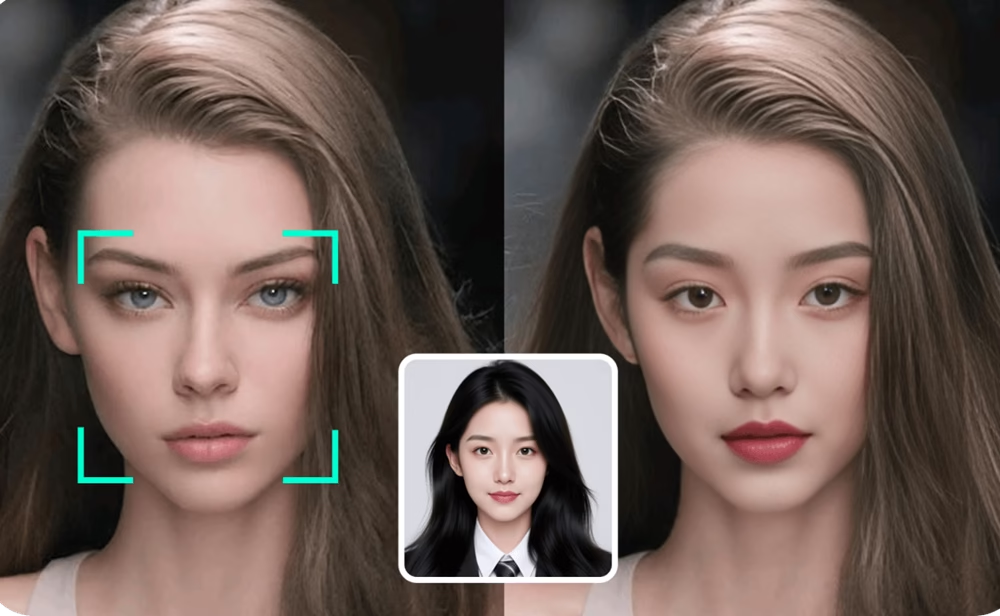
As of February 2026, face swap technology has moved far beyond novelty filters. After testing 15+ platforms across photos and videos, I’ve found tools that deliver realistic results without requiring technical expertise or Hollywood budgets.
Whether you’re a content creator looking to speed up production, a marketer building campaigns, or someone who just wants to create entertaining content, the right face swap tool makes all the difference.
Best Face Swap Tools at a Glance
| Tool | Best For | Media Types | Platforms | Free Plan | Starting Price |
|---|---|---|---|---|---|
| Magic Hour | Professional video & photo swaps | Photos, Videos, GIFs | Web, API | Yes (5/day) | $10/month |
| Vidwud | Free video face swapping | Photos, Videos | Web | Yes (unlimited) | Free |
| FaceFusion | Advanced local processing | Photos, Videos | Desktop | Yes (open-source) | Free |
| Reface | Quick social media content | Photos, Videos | Mobile (iOS/Android) | Yes | $3.99/month |
| Pixlr | Template-based swaps | Photos | Web | Yes | Free with ads |
Magic Hour: Best Overall Face Swap Tool
Magic Hour delivers studio-quality face swaps for both images and videos without requiring any editing experience. After two weeks of testing, it consistently produced the most natural-looking results across different lighting conditions and angles.
Pros:
- 4K output with frame-by-frame precision in videos
- No sign-up required for initial testing
- Automatic lighting adaptation for seamless blending
- Commercial use rights are included in paid plans
- Multiple face mapping in a single video
- Works directly in the browser (no software installation)
Cons:
- Free plan limited to 5 image swaps per day
- Watermark on free tier outputs
- Processing can take 30-60 seconds for video content
If you’re serious about creating professional content, Magic Hour is hard to beat. The face swap ai technology handles complex scenarios like group photos and challenging angles better than alternatives I tested. It excels at preserving facial expressions and matching skin tones naturally.
The platform goes beyond basic face swapping—you can also use their lip sync ai feature to match audio to your swapped faces, and their image-to-video tool to animate static photos.
Pricing:
- Basic: Free (5 image swaps/day, watermark, 100MB uploads)
- Creator: $10/month billed annually (no watermark, 1GB uploads, higher resolution)
- Pro: $45/month billed annually (commercial rights, 2GB uploads, priority processing)
Vidwud: Best Free Video Face Swap
Vidwud impressed me as a completely free service that doesn’t add watermarks—a rarity in 2026. The output quality rivals some paid services, though it struggles with extreme side angles.
Pros:
- Completely free with no usage limits
- No watermark on generated videos
- Supports multi-person videos
- Sharp, high-resolution output
- Improved side profile handling in 2026 updates
Cons:
- Complex angled shots can show minor imperfections
- Additional AI tools aren’t as polished as Face Swap
- Processing speed varies during peak times
Vidwud works best with front-facing or slight-angle shots. When I tested it with well-lit portrait videos, the results matched paid services. For creators on a budget producing social media content, this is the strongest free option available.
Pricing: Completely free
FaceFusion: Best for Advanced Users
FaceFusion is an open-source project that runs locally on your machine. It requires technical setup but delivers exceptional control and quality for those willing to invest the time.
Pros:
- Open-source and completely free
- Full control over processing parameters
- Exceptional output quality with proper setup
- 2026 GUI installer simplifies setup process
- Runs locally (no cloud processing or data sharing)
- Works with both GPU and Apple M-series chips
Cons:
- Requires Python and machine learning familiarity
- Setup takes 10-15 minutes minimum
- Slow processing without a GPU or M-series chip
- Occasional glitches with fast movement or side angles
This is the foundation behind many commercial face swap tools. I spent 30 minutes setting it up on my MacBook, and the results often exceeded paid alternatives. If you value privacy and want maximum control, FaceFusion is worth the learning curve.
Pricing: Free (open-source)
Reface: Best for Mobile Social Content
Reface popularized consumer face swapping and remains the smoothest mobile experience. It’s built for quick, shareable content rather than professional production.
Pros:
- Huge library of trending memes and movie scenes
- Real-time face swapping capability
- Seamless social media sharing
- Works on iOS and Android
- Fast processing (2-5 seconds)
Cons:
- Not suitable for high-quality static images
- Limited customization options
- Results vary with casual smartphone photos
- Some premium templates behind a paywall
When I tested Reface for TikTok content, it delivered exactly what I needed: fast, fun swaps that work with trending formats. Don’t expect professional-grade results, but for casual social media use, it’s perfect.
Pricing:
- Free version with full functionality
- Reface Pro: $3.99/month (removes watermark, unlocks premium content)
Pixlr: Best for Template-Based Swaps
Pixlr offers a straightforward web-based tool with pre-made templates. It’s ideal for quick projects where you want to drop your face into existing scenes.
Pros:
- Extensive template library (superheroes, sports, professionals)
- No download required
- Fast processing (under 10 seconds)
- Completely free for basic use
- Simple three-step process
Cons:
- Limited to photo swaps (no video)
- Templates can feel generic
- Less control over final blending
- Ad-supported free version
I used Pixlr to create a LinkedIn headshot mockup and several meme templates. For quick projects where you just want to visualize yourself in a specific context, it gets the job done. The quality isn’t as polished as Magic Hour, but it’s fast and functional.
Pricing: Free (ad-supported)
How I Tested These Tools
Over three weeks, I evaluated 15 face swap tools across several criteria:
Output Quality: I tested each tool with identical source images under varying conditions—bright lighting, dim lighting, angled faces, and group photos. Magic Hour and FaceFusion consistently produced the most natural-looking results.
Facial Detail Preservation: The best tools maintain subtle features like freckles, wrinkles, and expressions. I paid special attention to how well the tools handled lip movements and eye alignment.
Processing Speed: I timed each tool processing the same 10-second video clip. Speed ranged from 5 seconds (Reface) to 90 seconds (some free web tools).
Ease of Use: I considered setup complexity, interface clarity, and whether technical knowledge was required. Tools that required no sign-up or installation scored higher for accessibility.
Value Proposition: I weighed pricing against features, comparing free tiers, subscription costs, and commercial licensing options.
The Face Swap Tool Market in 2026
The face swap landscape has matured significantly. Most tools now use similar open-source foundations (FaceFusion, SimSwap), which means the real differentiators are user experience, processing speed, and commercial licensing.
Key trends I observed:
Browser-based tools dominate. Desktop software is declining as web-based platforms like Magic Hour deliver comparable quality without installation hassles.
Video face swapping is now standard. What was cutting-edge in 2023 is now table stakes. Even free tools like Vidwud offer video support.
Commercial licensing matters more. Content creators need clear rights to monetize their work. Platforms charging for commercial use (like Magic Hour’s Pro plan) are gaining traction with serious creators.
Privacy concerns drive local processing. Tools like FaceFusion that run entirely on your machine appeal to users worried about uploading sensitive content to cloud servers.
Real-time applications remain limited. Despite advances, live face swapping for video calls (Snapchat, Avatarify) still can’t match the quality of post-processing tools.
Final Recommendations
For professional content creators: Magic Hour offers the best balance of quality, ease of use, and commercial rights. The $10/month Creator plan is worth it if you’re producing content regularly.
For budget-conscious creators: Vidwud delivers surprisingly good results completely free. It’s my top recommendation for anyone just starting or testing the waters.
For technical users who value privacy: FaceFusion gives you complete control and exceptional quality if you’re willing to handle the setup.
For quick social media posts: Reface remains unmatched for speed and mobile convenience, especially with trending templates.
For template-based projects: Pixlr works well when you want to quickly place faces into predefined scenes without customization.
The most important advice: test multiple tools with your specific content before committing to a paid plan. Lighting conditions, source video quality, and your intended use case all affect which tool performs best.
Frequently Asked Questions
What’s the difference between face swap and head swap?
Face swap replaces just the facial features (eyes, nose, mouth) while keeping the head shape and hair. Head swap replaces the entire head, including hair and head shape. For most content creation, face swap produces more natural results.
Can I use face swap tools for commercial projects?
It depends on the platform. Magic Hour explicitly includes commercial rights in its Pro plan. Free tools like Vidwud and FaceFusion allow commercial use, but always verify licensing terms. Never use face-swapped content featuring identifiable people without their consent.
How do I get the best results from face swap tools?
Use high-resolution source images (at least 512×512 pixels for the face area). Ensure faces are well-lit and front-facing. Avoid obstructions like glasses or hands covering the face. Match the lighting conditions between your source face and the target image.
Are face swap tools safe to use?
Reputable tools like Magic Hour, Vidwud, and Reface encrypt your data and have clear privacy policies. For maximum privacy, use local processing tools like FaceFusion. Never upload sensitive content to unknown platforms.
Can face swap tools work with multiple people in one video?
Yes. Magic Hour and FaceFusion both support swapping multiple faces in a single video with individual face-to-face mapping. This is particularly useful for group content or ensemble casts.
Related News:
10 Best Free AI Tools For Productivity You Probably Haven’t Tried in 2026


