



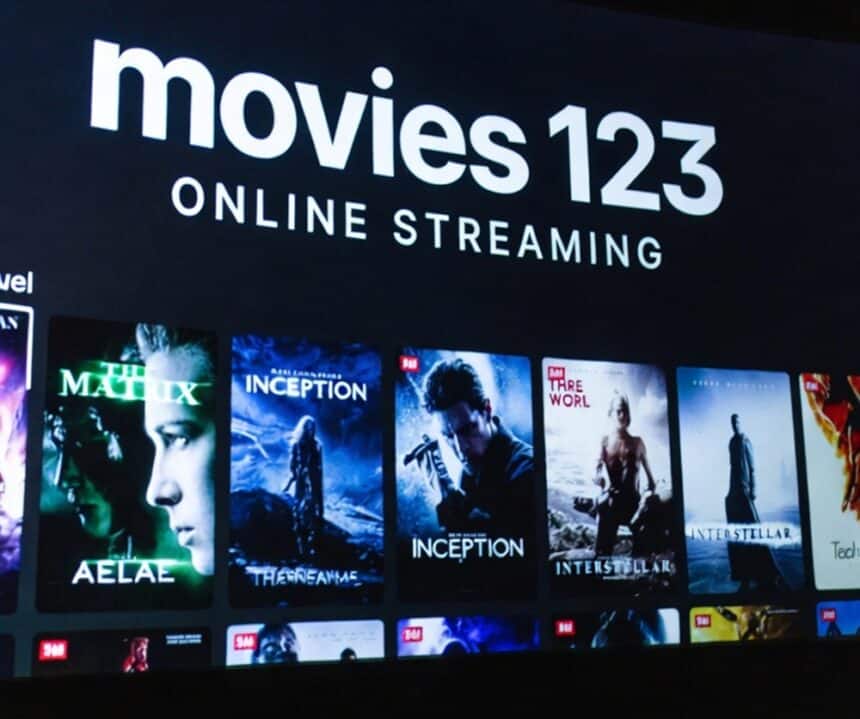
People keep searching for Movies 123 in 2025, hoping it’s still a simple, popular place to stream. The name keeps showing up in posts and search results, but what you find can change fast, and that’s where the confusion starts.
This guide breaks down what Movies 123 is known for, what’s different now, and why it feels harder to tell the real site from look-alikes. It also covers the practical risks people run into, pop-ups, fake copies, sketchy redirects, and privacy concerns, so you can make a clear call before you click.
A common path looks like this: someone searches for 123 free movies, then jumps to Showboxx movies, Rido movies, or even the movie Wallflower after the first few results don’t load. Without straight info, it’s easy to land on a clone site that’s more ads than video.
The goal here isn’t to push risky streaming. It’s to explain what to watch for and share safer, legal ways to stream when you just want a movie night that doesn’t turn into a headache.
Movies 123 in 2025: Does it still work, and what do people mean by “Movies 123”
In 2025, “Movies 123” is less like one stable website and more like a shared label people use for a rotating set of look-alike sites, mirror pages, and sometimes apps. So when someone asks if it “still works,” the honest answer is: it depends on which version they land on that day.
Results can change by country, device, and even by the hour. One link loads on a phone but breaks on a laptop, or it works today and disappears tomorrow. That shifting availability is part of why the name keeps popping up, even when the actual destination keeps changing.
Most people searching for Movies 123 expect the same basics: new releases, TV episodes, fast search, no sign-up, and a player that starts quickly. The problem is that some versions don’t host anything at all; they just redirect, scrape, or copy listings from other libraries and wrap them in ads.
Why does the site keep changing names, domains, and layouts?
These sites change because they’re under constant pressure. Pages get taken down after complaints, hosts drop them, or payment and ad partners cut ties. When that happens, the operators often move to a new hosting setup, switch domains, or push a fresh layout to stay online. At the same time, clones pop up fast because the name “Movies 123” pulls traffic, and copying a similar design is easy.
From a regular view, it can feel like chasing a street vendor who keeps moving corners. The brand stays familiar, but the stall is never in the same place.
Watch for copycat warning signs before you interact with anything:
- Odd domain spelling (extra letters, swapped words, strange endings).
- Forced notification prompts that block the page until you allow alerts.
- Too many “Download” buttons, especially near the player or in big, bright boxes.
- A fake play button that launches popups instead of starting a video.
- Sudden redirects to unrelated pages (adult content, “security” scans, prize claims).
If the site feels like it’s trying to trick you into clicking, that’s usually the point.
What “popular online streaming platform mean to regular users
When people call Movies 123 a “popular online streaming platform,” they usually aren’t talking about a company brand. They mean a familiar style of site that’s easy to use and feels packed with content. It’s the same way people say “Kleenex” when they mean tissues; the name becomes shorthand.
Here’s what users tend to associate with it:
- Big catalog feel: lots of titles, trending rows, and fresh thumbnails.
- Simple categories: genre tabs, year filters, TV vs movies, and “top” lists.
- Quick playback: press play, minimal setup, no account wall.
- Subtitles: language options, captions, or subtitle toggles built in.
- Mobile-friendly design: pages that load fast, big buttons, easy search.
But “popular” doesn’t always mean safe or legal. Popular can just mean the link shows up everywhere, or it works often enough that people keep sharing it. If a page depends on aggressive ads, redirects, or sketchy popups to run, that popularity comes with strings attached.
Common searches tied to Movies 123 (and why they show up together)
Search results often bundle these names together because users bounce between them when one option fails. Someone types 123 free movies, hits a dead link, then tries another brand name they’ve heard in comments or social posts. Next thing you know, the same person is searching for Showbox movies or Rido movies, not because they’re the same service, but because they live in the same corner of the internet.
This is also why Google results can look messy. Aggregator pages reuse the same buzzwords, and clones borrow each other’s titles, descriptions, and even page layouts. So the search engine starts mixing them, even if the sites behind the names have different owners or different risks.
A quick reality check helps: if a page claims a giant library, has no clear company info, and keeps pushing you to click ads before you can watch anything, you’re likely looking at a redirect hub or a copycat. In other words, the name on the tab matters less than the behavior of the page in front of you.
What you actually get on Movies 123 today: content, quality, and user experience
On most versions of Movies 123, the first impression is the same: a big homepage, lots of thumbnails, and categories that make it look like you’ll find anything in seconds. In practice, the experience can feel more like browsing a crowded flea market. Some stalls have what you want, some are empty, and a few are trying to sell you something else.
What you get also changes depending on which mirror you land on, how busy the site is, and what device you use. Here’s what to expect when you browse, search, and try to hit play.
Content library expectations vs reality
Movies 123 pages often look packed. You’ll see “Trending,” “Top IMDb,” “New Movies,” and long A to Z lists. That size can be real in the sense that there are many listings, but it doesn’t always mean there are many working streams.
Common reality checks you’ll run into:
- Broken links: the title page loads, but the player never does.
- Mislabeled uploads: a listing says one movie, but the video is a different title, a cam rip, or a random clip.
- Duplicates everywhere: the same movie appears three or four times with slightly different artwork.
- Empty shells: a page that looks complete, but only exists to serve ads.
The problem gets worse with popular searches. When a title is trending, copycat pages pop up fast because they pull clicks. If you search for the movie Wallflower, you might see multiple pages that look official, but lead to different players, dead ends, or unrelated results. It’s not always obvious until you try each one.
The upside is that discovery can be quick. The downside is that reliability is a coin toss, and you’ll often spend more time sorting than watching.
Playback quality, subtitles, and device performance
Quality on Movies 123 varies by source and by the specific page you land on. Some streams are SD (blurry, but lighter on data), others claim HD (sharper, but not always true HD). It’s common to see “1080p” in the title while the actual video looks closer to 480p.
Buffering usually comes from a few predictable causes: overloaded hosts, slow mirrors, heavy ad loading in the background, or your connection switching between Wi-Fi and mobile data. If you’re testing a stream, two quick checks help: pause for 30 to 60 seconds to build a buffer, and try a second server link if it’s offered.
Subtitles are hit or miss. Some players have a CC toggle, others have burned-in subtitles, and many have none at all. If subtitles matter to you, assume you’ll need to try more than one source.
Device matters too. Mobile browsing can feel worse, not because phones are weak, but because some pages push extra redirects on mobile. Also, be cautious with prompts to install a “required player” or download a “codec.” Stick to official app stores for media players, and skip anything a pop-up tells you to install.
Ads, popups, and fake buttons: how the experience can go wrong fast
The ad load is where Movies 123, 123 free movies clones, Showbox movies pages, and Rido movies-style sites tend to feel the most frustrating. The pattern is often the same: you hit play, and something else opens.
You might run into:
- Pop-ups that open a new tab behind your browser
- Fake play buttons layered over the real player
- “Update your browser” or “Your device is infected” style prompts
- Forced notification requests that ask to “Allow” before you can continue
Keep it calm and simple. A few habits can prevent most problems:
- Do close the tab if a click opens a download page you didn’t ask for.
- Do look for the small “X” and avoid big green “Download” buttons.
- Don’t install extensions, players, or “security tools” suggested by pop-ups.
- Don’t enable browser notifications for streaming sites; it can lead to spam alerts later.
If a site makes you fight through three pop-ups just to press play, that’s usually your signal that the “free” part is being paid for in other ways.
Safety, privacy, and legality basics (simple rules before you stream anything)
When you’re bouncing between Movies 123-style pages, or trying 123 free movies, Showboxx movies, Rido movies, or even a title search like the movie Wallflower, it helps to slow down for a minute. Most problems don’t come from the video itself; they come from what the site tries to get you to click, install, or share.
Think of this section as simple “seatbelt rules” for streaming. You don’t need to be an expert; you just need a few habits that reduce risk fast.
The biggest risks people run into
The most common risk is malware, which is harmful software pushed through fake download buttons, sketchy “update” prompts, or bundled installers. If a site says you need a special player, a codec, or an app to watch, treat that as a warning sign.
Next is phishing, which is a fancy word for fake pages that try to trick you into typing your email, password, or payment info. These often show up as “Sign in to watch,” “Verify you’re not a robot,” or “Your account has been locked” popups. They can look real enough to fool anyone.
Another big one is scam subscriptions. Some “free” streaming pages push a trial that quietly turns into a monthly charge. The clearest red flag is any site that asks for a credit card to access “free” content. Free should not require billing details.
Then there’s data tracking. Many unofficial sites use aggressive ads and trackers that follow what you click, what device you use, and sometimes your rough location.
Finally, shady downloads are everywhere, even when you just wanted to stream. If a click starts a download you didn’t ask for, cancel it and close the tab.
Quick safety checklist that takes under 2 minutes
Before you press play, do this quick pass. It’s not perfect, but it cuts out a lot of the most common traps on 123 free movies clones and similar pages.
- Use an updated browser: Old browsers miss security fixes. Updates also block more bad pop-ups.
- Use a reputable ad blocker (if allowed where you live): Many problems start with malicious ads. A known, well-reviewed blocker can reduce fake buttons and pop-ups.
- Turn off site notifications: If a page asks to “Allow notifications,” hit Block. Those alerts can turn into spam on your phone or laptop later.
- Don’t download “players” or “HD boosters”: Real streaming works inside the browser. “You must install” messages are a classic trick.
- Use a unique password: If you ever create an account anywhere, don’t reuse a password from email, banking, or social media. One leak can snowball.
- Don’t log in through random pop-ups: If a pop-up claims you need a Google, Facebook, or Apple login to watch, close it. Pop-ups are easy to fake.
- Check the URL spelling: Look for extra letters, weird endings, or swapped words. Copycats often rely on you not noticing.
If anything feels pushy or confusing, that’s your cue to exit. Streaming should not feel like defusing a bomb.
Legal streaming vs unlicensed streaming, explained like you are talking to a friend.d
Here’s the simple version: movies and shows have owners, and those owners decide who gets the rights to stream them. Those rights are called licenses. A licensed service pays for permission, either with subscription money, ads, or both.
That’s why official platforms often cost something. You’re paying for the content, the video hosting, the apps, and the deals behind the scenes. Even “free” legal services usually run ads because ads help cover those costs.
Unlicensed streaming sites usually don’t have those rights. They might copy a stream from somewhere else, embed videos from unknown hosts, or re-upload content without permission. Because of that, they tend to disappear, switch domains, or break often. It’s not unusual for a link that worked yesterday to vanish today, or for search results to lead to a new look-alike.
This is also why pages tied to Showbox movies, Rido movies, or searches like the movie Wallflower can feel unstable. If you can find a legal option, it’s usually more reliable, higher quality, and less stressful. If you still choose to browse unofficial sites, keep your guard up and protect your info first.
Better ways to watch: safer alternatives that still feel “easy and free.”
If you keep ending up on 123 free movies pages, Showboxx movies clones, or Rido movies mirrors, it usually means you want the same thing most people want: a fast search, quick playback, and no hassle. You can get close to that experience without the sketchy pop-ups and fake download buttons; you just have to switch where you look.
Below are options that still feel easy, plus a few simple habits that reduce headaches if you keep landing on Movies 123-style sites (including random title pages like the movie Wallflower).
Legit free streaming options (ad-supported) that are simple to use
FAST services are Free Ad-Supported Streaming TV. Think of them like old-school cable, but inside an app: you watch movies, shows, and live-style channels, and you “pay” by sitting through ads. No monthly bill, no shady popups, and the video player usually works the first time.
FAST apps tend to offer two ways to watch:
- Live channels: a programmed schedule where you jump in mid-movie, like flipping channels.
- On-demand: pick a title, press play, and watch with ad breaks.
To choose a reputable free streaming app, focus on signals that are hard to fake:
- Get it from the official app store on your device (Apple App Store, Google Play, Roku Channel Store, Amazon Appstore).
- Check the publisher name, not just the app name, since clones often copy branding.
- Read recent reviews, and scan for patterns like “won’t open,” “constant redirects,” or “asked for my card.”
- Look for clear policies inside the app, such as privacy info and support contact details.
Availability matters, too. FAST catalogs change by country because of licensing. If an app looks empty or missing titles, it may not be fully supported where you live.
Library and school options that many people forget about
Your public library can be a quiet cheat code for movie nights. Many libraries offer free streaming, digital rentals, or access to learning platforms that include films, and you often only need a library card to sign in. Some services work like a set number of “borrows” per month, others are more open, but the big benefit is simple: the content comes through a legit source, not a rotating Movies 123 clone.
To find what your library offers, try this quick approach:
- Visit your library’s website and look for Digital Resources, eLibrary, or Online Services.
- Search the site for “streaming,” “movies,” or “video.”
- If you don’t see it, call or email, library staff usually know exactly what’s available.
Getting it onto a TV is often easier than people expect. Start by installing the library’s streaming app on your smart TV, streaming stick, or game console (if supported). If there’s no TV app, you can still use casting from a phone or tablet, or connect a laptop with an HDMI cable.
Schools and universities can also help. Student portals sometimes include media access through the campus library, and that can cover more than just lectures.
If you keep landing on Movies 123 clones, here is how to reduce risk without getting technical
Sometimes, a search for the movieWallflowerr or a trending release still drops you onto a Movies 123 look-alike. If that happens, your safest move is not to “figure it out,” it’s to avoid the traps these pages use to make money.
Use these behavior-based rules:
- Leave any page that pushes downloads. Streaming should not require a “player,” “codec,” or “HD upgrade.”
- Never enter payment info to “verify” access. That’s a common scam on 123 free movies clones and similar sites.
- Skip account creation. If a random Rido movie mirror asks for an email and a password, treat it as untrusted.
- Don’t allow notifications. Those “Allow” prompts can turn into spam alerts later.
- Stick to reputable devices and apps. A smart TV app store, Roku, Apple TV, or a well-known mobile app store, is safer than random APK files or browser add-ons.
- Prefer official sources when you can. If you really want the “easy and free” feel, legit ad-supported apps and library services are the closest match.
A good rule of thumb: if the site feels like it’s trying to rush you, confuse you, or scare you, close it and pick a safer option.
Conclusion
Movies 123 still shows up as a popular online streaming platform, but it rarely acts like one stable site. What you find can change fast because of clones, shifting domains, and copycat pages that look real until they start redirecting. That’s why searches like 123 free movies, Showboxx movies, and Rido movies often lead to mixed results, from a working stream to a pop-up storm in the next tab.
If you choose to browse, treat safety as part of the process. Watch for fake play buttons, “required” downloads, and pushy login or payment prompts. Protect your privacy, block notification requests, keep your browser updated, and leave the moment something feels off. The same approach applies when you land on a random title page, including searches for the movie Wallflower.
For a smoother movie night, pick one legal, ad-supported option or a library service to try today. If you still end up on an unknown site, use the two-minute safety checklist first, then decide if it’s worth the hassle.